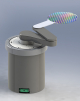
The GB Tool Box™ is a new generation of powerful utilities intended to simplify the programming, diagnostic, maintenance and calibration of Genmark Automation products. Its intuitive user interface requires no training or previous experience. Designed as an extendable platform it can cover wide range of automation applications. The open extension interface is a technology for third parties to add new functionalities to GB Tool Box 2.0.
The basic version of GB Tool Box™ includes these features:
This module provides the command line interface to the robot controller. It supports for numerous communication protocols - ASCII, SECS I and TCP/IP. You could open multiple communication sessions and work with several devices from a single computer. The command line buffer maintains history of the commands entered.
This feature allows the user to measure the time it takes for each individual statement to execute. The Sequencer tool allows you to rapidly program a sequence of robot commands, make a cycle, test the performance, tweak some of the motion parameters and experiment with the different modes of synchronization. The advantage of having such utility is that it emulates your host computer and it will work with the robot controller having same communication and synchronization overhead.
The GPR ™ robots are full featured six-degree of freedom machines and their control provides many options. The Jogging tool gives you simple, user-friendly interface to jog the robot in the desired manner. The amount of motion for each key - press and key assignment is programmable. The joystick interface provides another alternative for the robot teaching.
The user macros allow you to create new programs that will run on the robot controller and provide effortless integration of the robot in a wide variety of applications.
The robot parameter editor offers access to all robot calibration data. It lets you change the motion parameters, PID coefficients, limit settings and other vital parameters. After the parameters are modified they can be saved on the local disk or downloaded to the controller.
A dedicated window displays the current status of the servo axes and digital I/Os in real-time. This allows you to monitor the servo controller operation and perform diagnosis without having to deal with the command line interface.
Another tool displays a graphic of the CCD sensor data collected during the pre-aligner operation. You can zoom-in on the graphics and check for noise, lack of synchronization or symptoms for obstructed optics.
The last diagnostic tool displays the result of wafer scanning operation in a graphic form. It displays the programmed coordinates of the wafer in the cassette, the thresholds for the cross-slotted wafers and the actual locations of the wafers based on the scanning data.
A major advantage of the Genmark Automation robot firmware is its easy customization. GB Tool Box maintains backups of the entire firmware from the robot controller to the host computer and updates of each firmware component - either executable or data.
The station editor provides two views (table and dialog) to the robot teach points and cassette parameters. They can be edited off-line and saved to the robot, or the robots current position can be used to initialize the teach points. In both cases you have a convenient means of teaching the robot.
The trajectory motions are the most efficient way of maximizing the robot performance and system throughput. The GB Tool Box ™ makes design of the trajectories easy and fun. You can import the layout of your machine as background and overlap the smooth trajectories on it. Once a trajectory is designed you can download it to the robot controller and test its execution.